macOS 14 (Sonoma) or later·Native app, not Electron·One-time purchase, lifetime 1.x updates
ShellVault is a native macOS SSH client that keeps every host, key, and credential in one encrypted vault on your Mac. Everything stays local and encrypted at rest, unlocked with your master password or Touch ID — no accounts, no cloud sync, no analytics, and no network connections other than the SSH, Telnet, SFTP, FTP/FTPS and S3 sessions you start yourself. Beyond the terminal, it's a full dual-pane file manager for SFTP, FTP/FTPS and S3 with an in-app editor, organizes your hosts into collapsible groups, and keeps your sessions and tunnels alive even while the vault is locked.
🖥️
Truly native
A real macOS app — not an Electron wrapper.
🔒
Local & encrypted
Encrypted at rest — your secrets never leave your Mac.
🚫
No tracking
No accounts, no telemetry, no analytics.
♾️
Buy once
One-time purchase — no subscription.
Features
Everything in one vault
A complete SSH, file-transfer, and tunneling toolkit — designed around a single encrypted vault and a keyboard-first, native macOS experience.
🔐
One encrypted vault
All hosts, keys, identities, and credentials stored in a single vault, encrypted at rest.
Unlock with your master password or Touch ID.
Auto-lock on idle, on ⌘L, or when the screen locks — and your open SSH sessions and port-forward tunnels keep running behind the lock screen.
Automatic daily encrypted backups of your vault, kept locally (last 7).
Portable: export/import an encrypted .shellvault file to move or sync your setup between Macs.
Local-only by design: no accounts, no cloud, no telemetry, no analytics.
🌐
Connect to anything
SSH and Telnet, plus local shell tabs.
Authentication: password, SSH keys (ed25519, ECDSA), passphrase-protected keys, and CA certificates.
Jump hosts (ProxyJump) for reaching servers behind a bastion.
Host-key verification (Trust On First Use) with fingerprint approval, and a known-hosts manager.
Automatic reconnect with backoff when a connection drops.
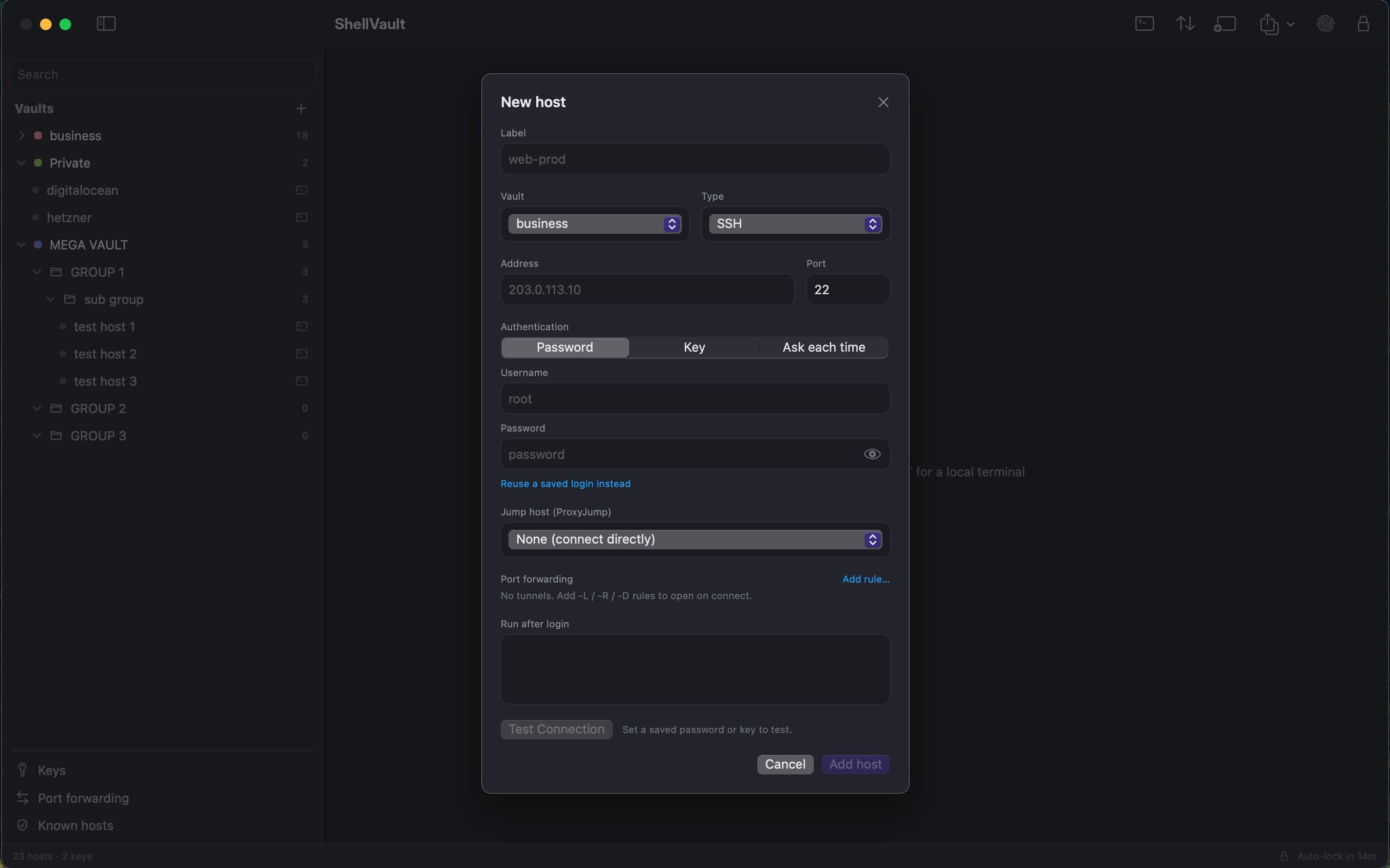
Per-host initial commands that run automatically after you log in.
Test Connection: verify reachability, host key, and login before you save.
📂
One file manager for every backend
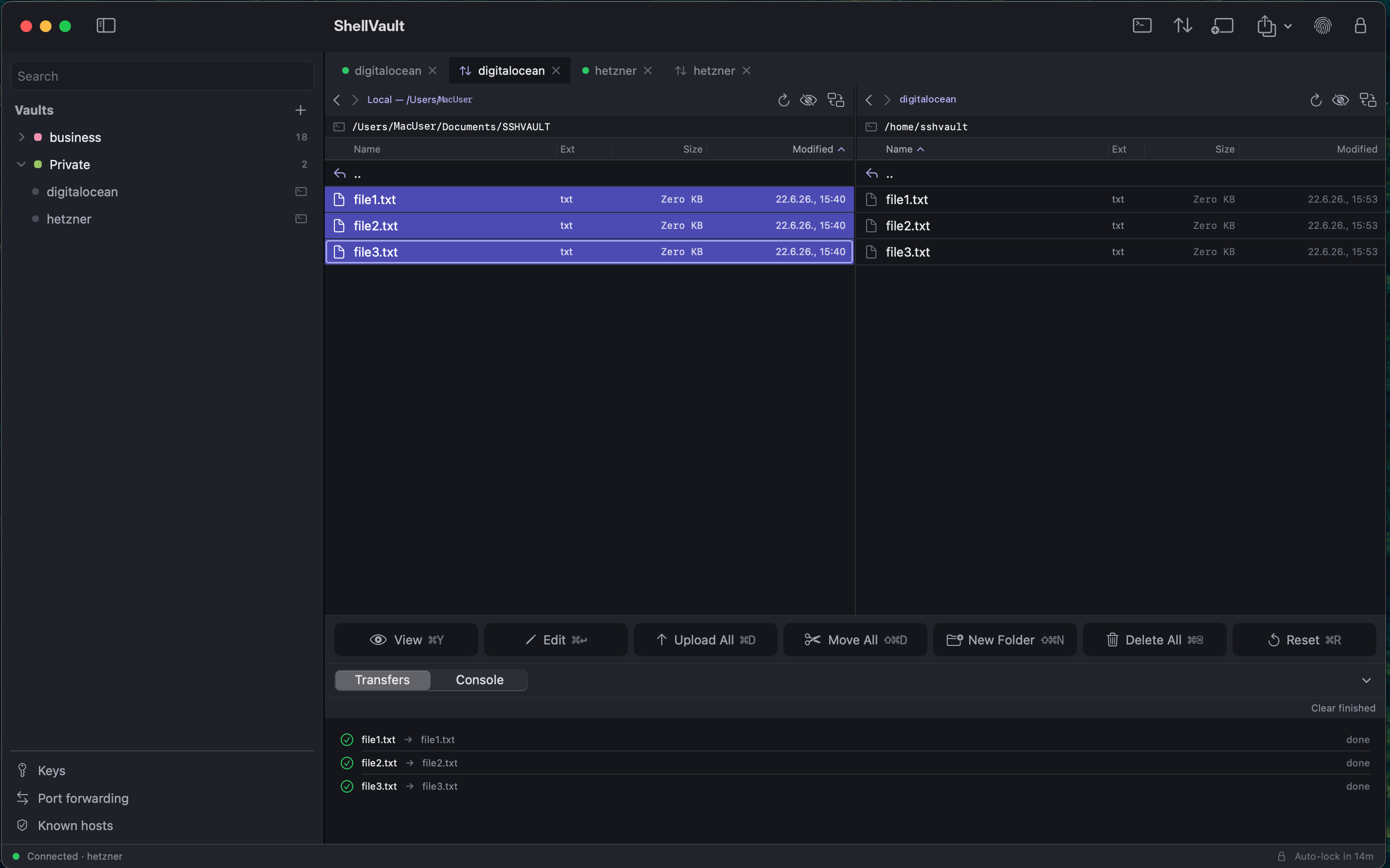
Browse anything, side by side. The dual-pane file manager connects to SFTP, FTP, FTPS and S3 — including S3-compatible storage like MinIO — through one identical interface. Same drag-to-transfer workflow, same queue, same in-place editor: local ⇄ remote, remote ⇄ remote, across protocols.
FTP and FTPS. Classic FTP servers and FTP over TLS, with password or anonymous login. FTPS certificates are verified with the same trust-on-first-use model ShellVault uses for SSH host keys — approve it once, and a changed certificate is caught for you.
S3 and S3-compatible storage. Browse buckets and objects like folders and files. Uploads are resumable multipart; renames and moves happen server-side instead of round-tripping through your Mac; custom endpoints and path-style addressing point it at MinIO or anything compatible. Beyond static keys, S3 accepts temporary session-token credentials and your ~/.aws profiles.
Only what the backend can actually do. The interface adapts per connection — actions a protocol doesn't support simply aren't offered, instead of failing when you try them.
Across every backend: create, rename, delete, and set permissions; edit files in place with nothing written to a temp file on disk; a transfer queue with overwrite / skip / keep-both conflict handling and a per-tab transfer log.
🗂️
Organize your hosts
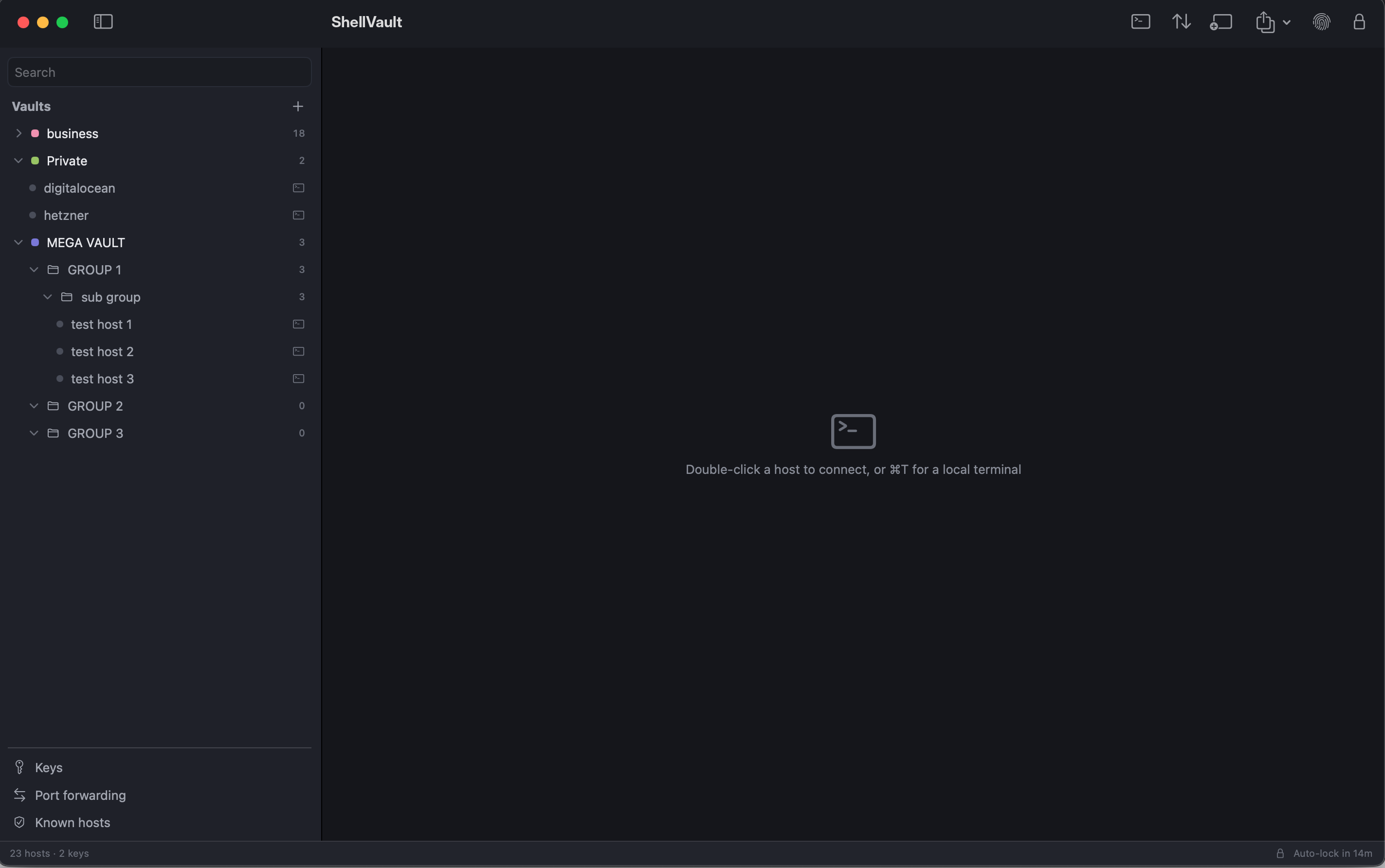
Group hosts into collapsible folders, nested to any depth, inside each vault.
Reorganize by drag-and-drop (including across vaults) or a "Move to Group" menu.
Duplicate and rename hosts inline. Groups travel with your encrypted vault export.
🔀
Port forwarding
Local, remote, and dynamic (SOCKS) port forwarding.
Tunnels run in the background, independent of your terminal tabs.
⌨️
A terminal that feels native
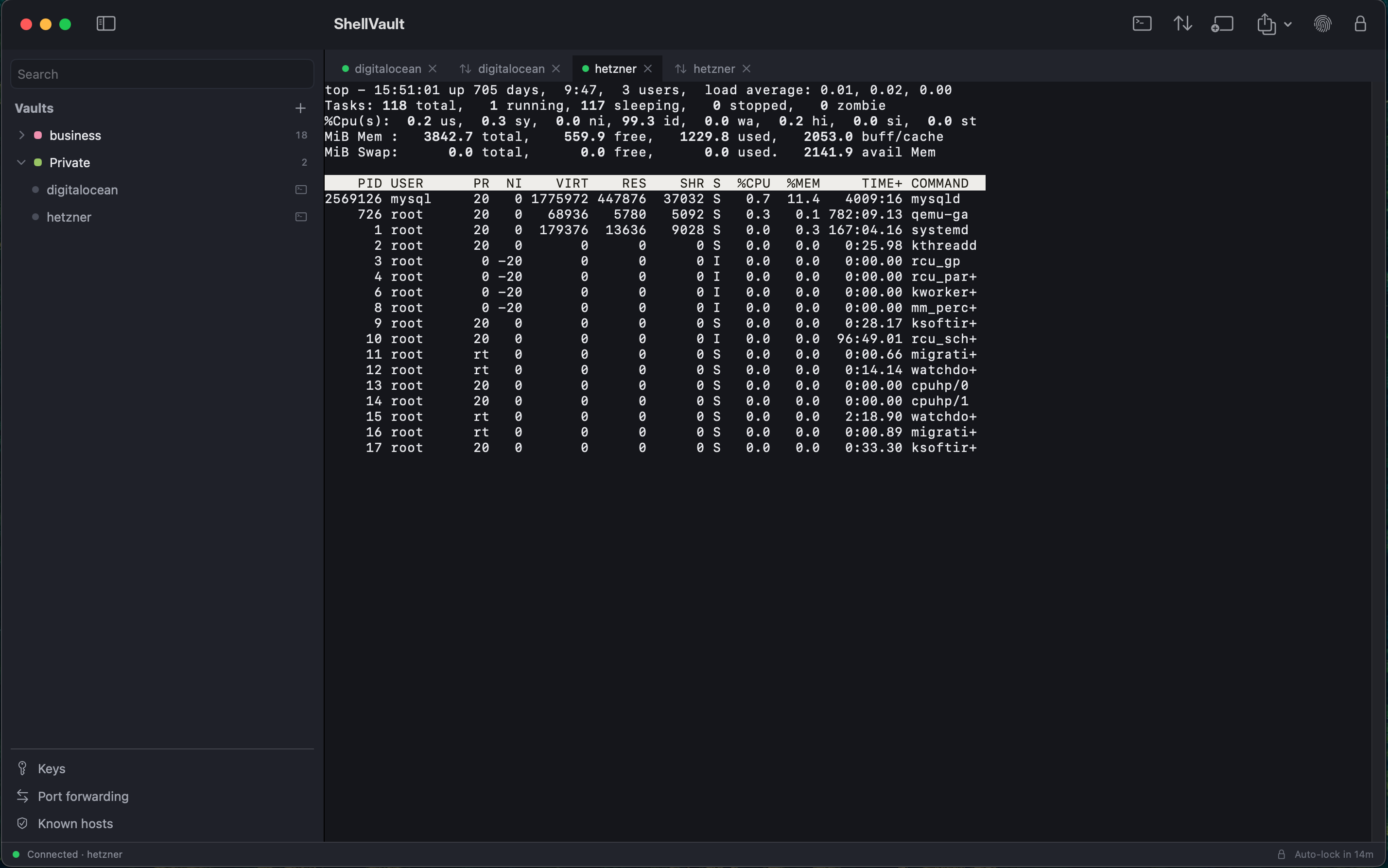
Tabbed sessions in a single window.
Themed, native macOS terminal; choose your monospaced font, size, and scrollback.
Keyboard-first throughout — full keyboard navigation of the file panes and every confirmation dialog, with safe, deliberate confirmations for destructive actions.
A look inside
Screenshots
A native interface built for everyday server work.
Tabbed terminal with themes.
Dual-pane file manager, mid-transfer.
Sidebar with hosts in nested groups.
Host editor — auth, initial commands, and Test Connection.
Pricing
One price, yours for good
One-time purchase
$9.99 USD
Lifetime license · all 1.x updates & bug fixes
Lifetime license including all 1.x updates and bug fixes (a future major version, 2.0, may be a separate upgrade).
Free 14-day trial with full features.
Offline license verification — checked locally, no phone-home.